

Online giving instructions and information:
You can give online by using either the QR code, website link, or the Connect app. ChurchTrac,
Church Connect, and the Connect app are all a part of the same system we are using.
When you give using the QR code or website rather than the Connect app, after you
submit your offering, it will send you back to the start page.
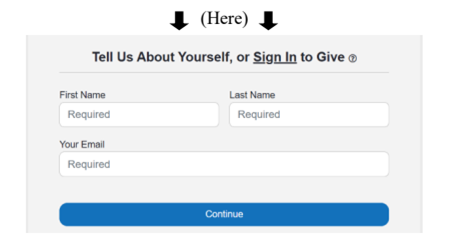
It will not show you a “payment successful” screen . Don’t worry, a receipt will be emailed to you within 5 minutes. It is not necessary to attempt your donation again.
If you would like to set up recuring payments through online giving, you must first create
an account with Church Connect through the QR code, website, or Connect app.
To create an account please go to the login on the website and create an account.
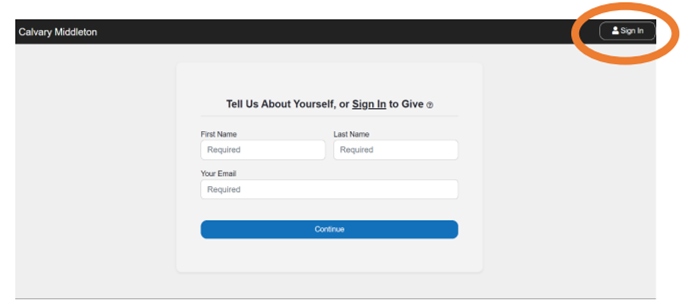
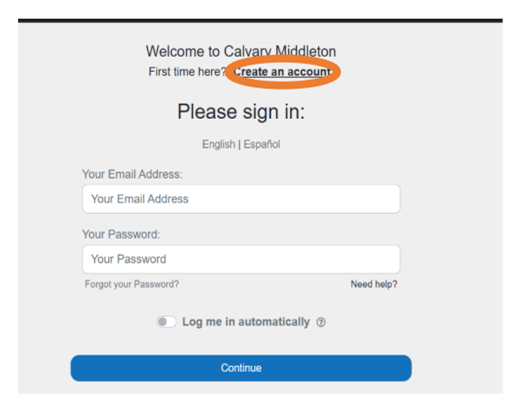
Your account information is the same for logging into either the website or the app.
Once you have created an account and/ or logged in, you should see an option to make
recurring payments. Recurring payment set up looks similar to the app as well as the website.
If you are using the Connect app:
1. Download the app
2. You will need our church’s app install code which is: U3YCE5
3. Create an account and/or login
On the app you can make recurring payments by first going to the give section of the app.
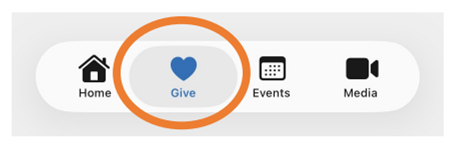
Then select an amount and select “General offerings”.
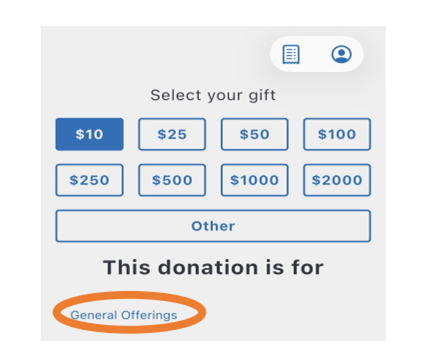
Then you should see an option to set that gift as recurring.
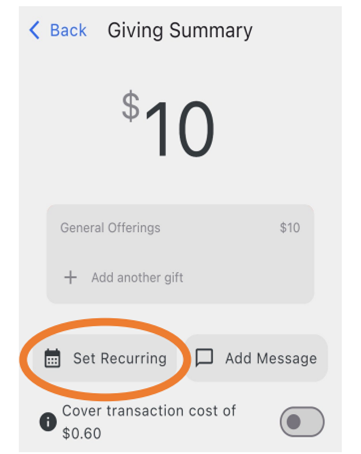
Once you have set the recurring offering, you should be able to complete the transaction as normal.
If you have any questions or issues, please contact Chloe Beck at chloe@calvarymiddleton.com
or please text the church phone at 208-899-1527.